 |
LCC Fusion Project 1.0
LCC Automation
|
|
LCC Fusion Project 1.0
LCC Automation
|
#include <Outputs.h>
Public Member Functions | |
| void | begin (int id, int pin, int iFlag) |
| void | set (int id, int pin, int iFlag) |
| void | activate (int s=1) |
| bool | isActivated () |
Static Public Member Functions | |
| static Output * | get (int id) |
| static void | remove (int id) |
| static int | count () |
| static void | show () |
| static bool | parse (char *c) |
| static Output * | create (int id, int pin, int iFlag) |
Public Attributes | |
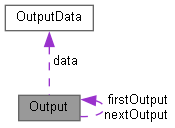
| struct OutputData | data |
| Output * | nextOutput |
Static Public Attributes | |
| static Output * | firstOutput =NULL |
Pins can be activated or dis-activated. The default is to set ACTIVE pins HIGH and INACTIVE pins LOW. However, this default behavior can be inverted for any pin in which case ACTIVE=LOW and INACTIVE=HIGH.
Definitions and state (ACTIVE/INACTIVE) for pins are retained in EEPROM and restored on power-up. The default is to set each defined pin to active or inactive according to its restored state. However, the default behavior can be modified so that any pin can be forced to be either active or inactive upon power-up regardless of its previous state before power-down.
To have this sketch utilize one or more Arduino pins as custom outputs, first define/edit/delete output definitions using the following variation of the "Z" command.
When controlled as such, the Arduino updates and stores the direction of each output in EEPROM so that it is retained even without power. A list of the current states of each output in the form <Y ID STATE> is generated by this sketch whenever the <s> status command is invoked. This provides an efficient way of initializing the state of any outputs being monitored or controlled by a separate interface or GUI program.
| void Output::activate | ( | int | s = 1 | ) |
Change the activation state of the output. The state of the pin is updated by this function.
| s | new state : see iFlag description in class description.. |
Definition at line 82 of file Outputs.cpp.

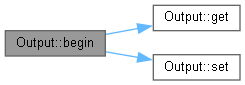
| void Output::begin | ( | int | id, |
| int | pin, | ||
| int | iFlag | ||
| ) |
Initialize the output created by regular C++ instantiation.
| id | The numeric ID (0-32767) of the output. |
| pin | The arduino pin number to use for the output. |
| iFlag | Defines the operational behavior of the output based on bits 0, 1, and 2 (see in class description for values). |
Definition at line 32 of file Outputs.cpp.

|
static |
Get the total number of outputs.
Definition at line 148 of file Outputs.cpp.
|
static |
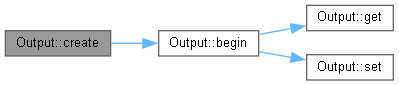
Creates a new output in the list..
| id | The numeric ID (0-32767) of the output. |
| pin | The arduino pin number to use for the output. |
| iFlag | Defines the operational behavior of the output based on bits 0, 1, and 2 (see in class description for values). |
Definition at line 260 of file Outputs.cpp.

|
static |
Get a particular output.
| id | The numeric ID (0-32767) of the output. |
Definition at line 109 of file Outputs.cpp.

|
inline |
|
static |
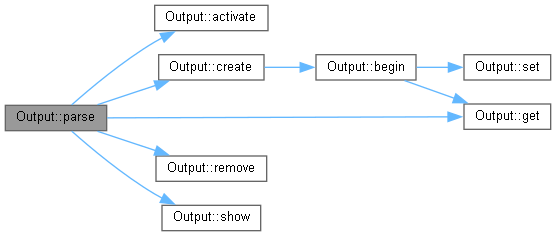
Do command according to the given command string.
| c | string to interpret... See syntax in class description. |
Definition at line 222 of file Outputs.cpp.
|
static |
Removes a particular output.
| id | The numeric ID (0-32767) of the output. |
Definition at line 116 of file Outputs.cpp.

| void Output::set | ( | int | id, |
| int | pin, | ||
| int | iFlag | ||
| ) |
Force the output values created by command line.
| id | The numeric ID (0-32767) of the output. |
| pin | The arduino pin number to use for the output. |
| iFlag | Defines the operational behavior of the output based on bits 0, 1, and 2 (see in class description for values). |
Definition at line 62 of file Outputs.cpp.

|
static |
Show the content of all the outputs.
Definition at line 283 of file Outputs.cpp.

| struct OutputData Output::data |
|
static |
| Output* Output::nextOutput |
 1.9.5
1.9.5