 |
LCC Fusion Project 1.0
LCC Automation
|
|
LCC Fusion Project 1.0
LCC Automation
|
Simple text console for a 128×64 SSD1309 OLED on a dedicated I²C bus. More...
#include <OledDisplay.h>
Public Member Functions | |
| OledDisplay (int sdaPin, int sclPin) | |
| Construct a new OledDisplay using specific SDA and SCL pins. More... | |
| ~OledDisplay () | |
| Destroy the OledDisplay and release history buffer memory. | |
| bool | begin () |
| Initialize the OLED hardware and history buffer. More... | |
| bool | isConsole () const |
| Check whether the display is ready for drawing. More... | |
| void | clear () |
| Clear the screen and the scrollback buffer. More... | |
| void | print (const String &s) |
| Append text to the console without a newline. More... | |
| void | println (const String &s) |
| Append text followed by a newline to the console. More... | |
| void | printf (const char *fmt,...) __attribute__((format(printf |
| Formatted print to the console (no implicit newline). More... | |
| void | render () |
| Redraw the current scrollback buffer without adding new text. More... | |
| bool | ready () const |
| Returns whether the console is initialized and ready to draw. More... | |
Simple text console for a 128×64 SSD1309 OLED on a dedicated I²C bus.
This lightweight console provides word‑wrapped, scrollable output on 2.42" SSD1309 OLED modules. It allocates an internal history buffer so the most recent lines can be redrawn on demand. The display is driven via a software I²C instance using the U8g2 library and does not interfere with the primary Wire bus used by other peripherals. See begin() for initialization details and the example in the file documentation for typical usage.
Definition at line 74 of file OledDisplay.h.
|
inline |
Construct a new OledDisplay using specific SDA and SCL pins.
Construct with custom SDA/SCL pins for SW I²C. NOTE: If your U8g2 version uses NONAME2 instead of NONAME0, swap the class name below.
The display uses a software I²C implementation provided by U8g2. When instantiated the library does not communicate with the device until begin() is called.
| sdaPin | GPIO number for the data line to the OLED. |
| sclPin | GPIO number for the clock line to the OLED. |
Definition at line 90 of file OledDisplay.h.
|
inline |
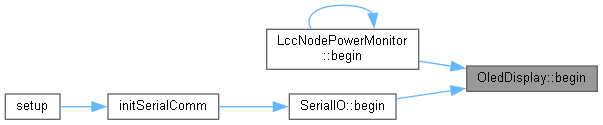
Initialize the OLED hardware and history buffer.
Initialize the SSD1309. Returns false when no device ACKs at 0x3C.
Probes for a device at address 0x3C and, if present, allocates the scrollback history, configures the U8g2 driver and clears the display. If no device responds at 0x3C this method leaves the instance in an uninitialized state and returns false.
| true | if the OLED was found and successfully initialized. |
| false | if no device acknowledged at 0x3C. |
Definition at line 117 of file OledDisplay.h.

|
inline |
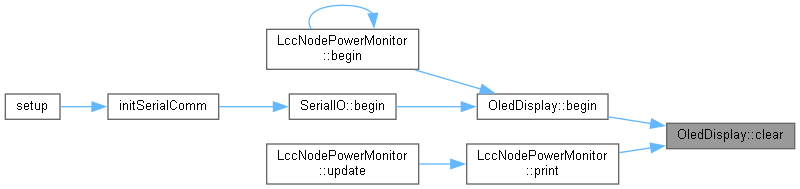
Clear the screen and the scrollback buffer.
Clear the display and scrollback buffer.
Resets the internal history indices, erases any stored lines and clears the display buffer. If the display was not initialized begin() returns, this method simply clears the history without touching the (nonexistent) display.
Definition at line 164 of file OledDisplay.h.
|
inline |
Check whether the display is ready for drawing.
Returns true if the console is initialized and ready.
Equivalent to ready(). Provided for backwards compatibility.
true if begin() succeeded and the console can be used. Definition at line 151 of file OledDisplay.h.
|
inline |
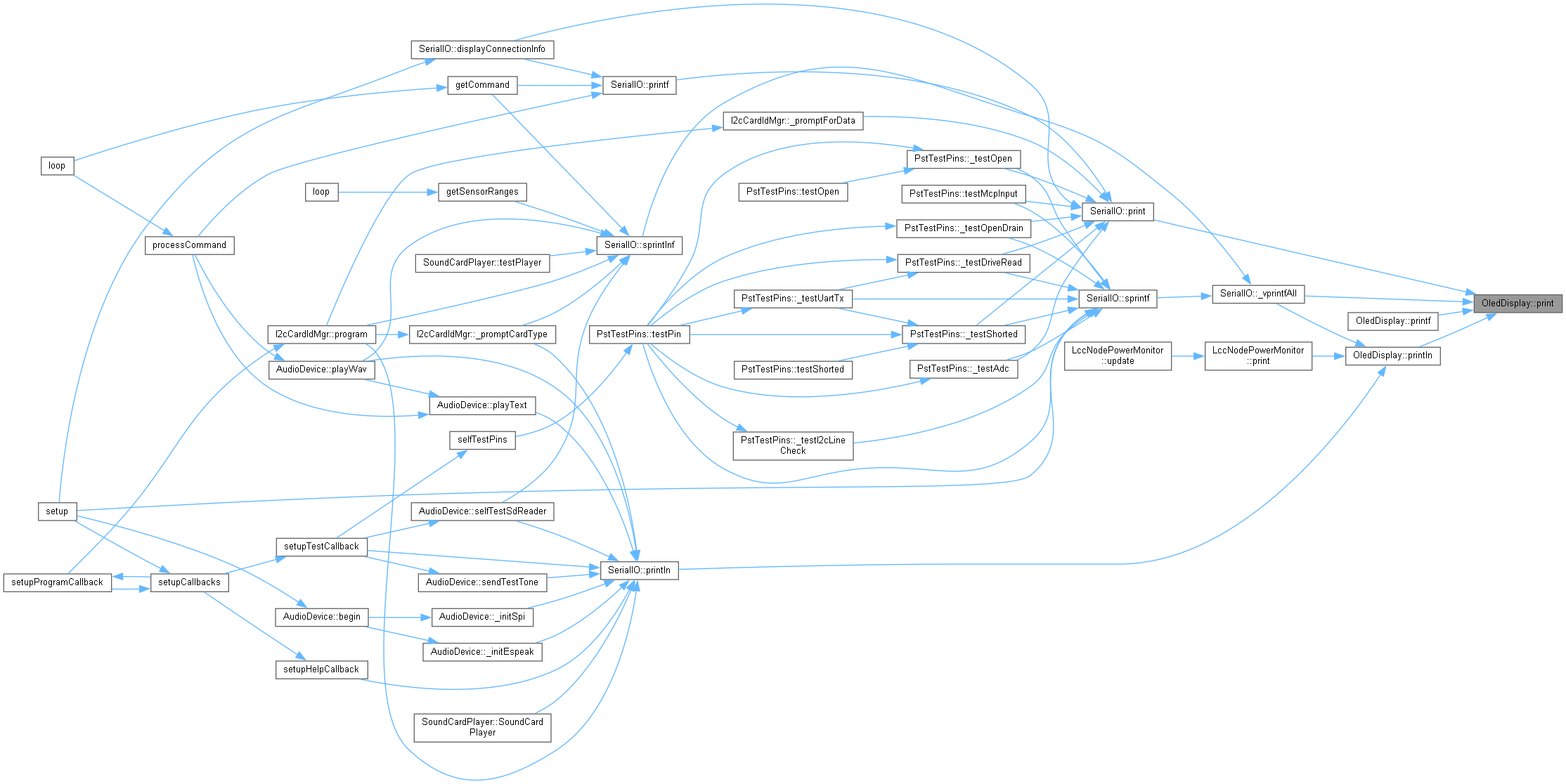
Append text to the console without a newline.
Print text to the OLED (wraps & scrolls).
The text is word‑wrapped at the display width; long words are broken across lines. Any embedded newlines in s will cause the text following them to appear on subsequent lines. After updating the scrollback this method redraws the display.
| s | String of UTF‑8 text to append. |
Definition at line 186 of file OledDisplay.h.
| void OledDisplay::printf | ( | const char * | fmt, |
| ... | |||
| ) |
Formatted print to the console (no implicit newline).
printf-style formatted output.
Accepts a printf()‑style format string and variable arguments. The formatted result is passed to print() which handles wrapping and redraw. A newline is not automatically appended; use printf() followed by println() if desired.
| fmt | printf() format string. |

|
inline |
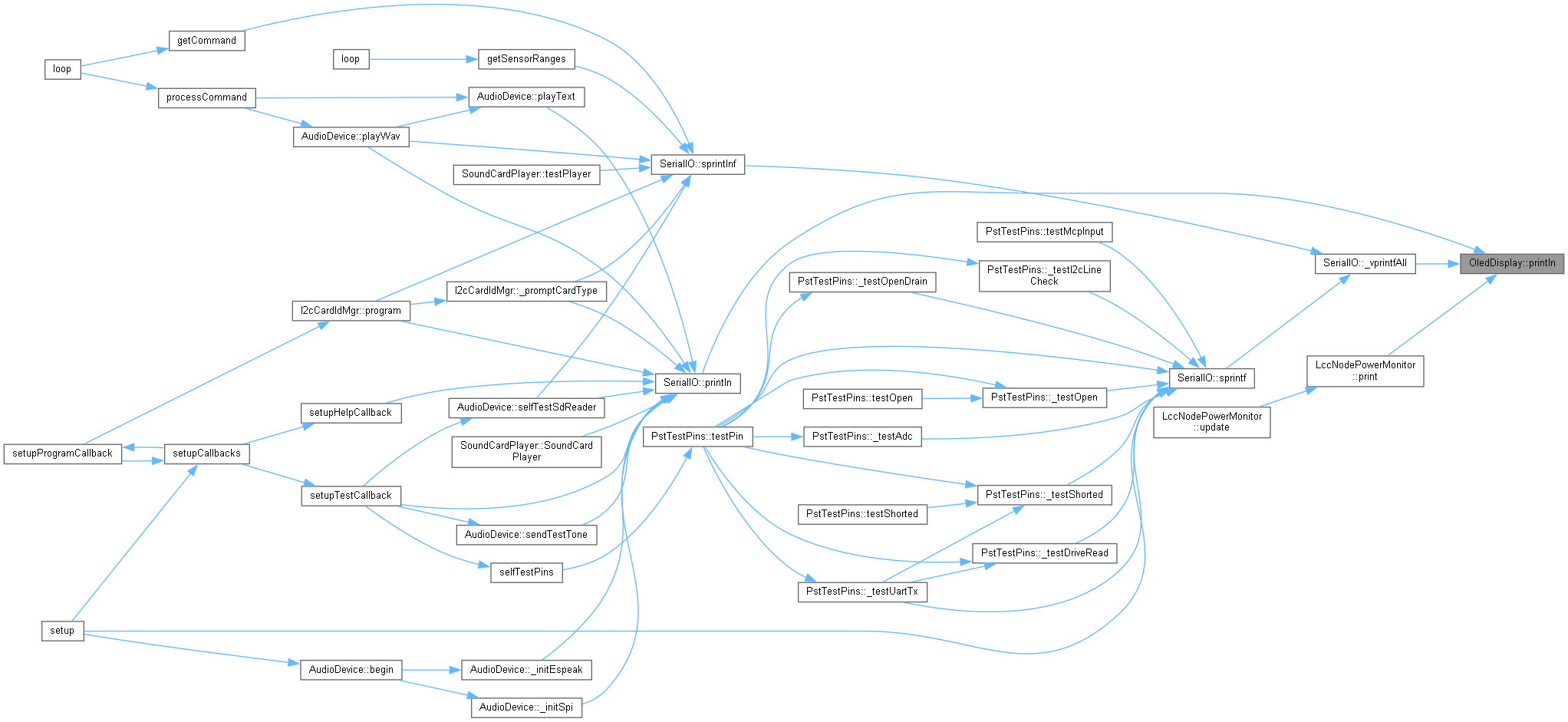
Append text followed by a newline to the console.
Print text followed by newline.
Equivalent to print(s + "\n").
| s | Text to append before the newline. |
Definition at line 200 of file OledDisplay.h.

|
inline |
Returns whether the console is initialized and ready to draw.
true if begin() succeeded, otherwise false. Definition at line 241 of file OledDisplay.h.
|
inline |
Redraw the current scrollback buffer without adding new text.
Redraw current buffer without adding new lines.
Clears the display and replays the last few lines stored in history. This is useful when switching away from and back to the OLED or after temporarily drawing overlay graphics.
Definition at line 232 of file OledDisplay.h.
 1.9.5
1.9.5